Clock Out
No more missed clockouts.
Clock Out already knows who is scheduled and when they reach the workplace, so the shift starts and ends on its own. Your team touches nothing, and the hours arrive in payroll accurate enough that there is almost nothing left to review.
Signed in as Maria Santos
Riverside · Shift Lead · since 8:58 AM
Started automatically — scheduled 9:00 AM shift
Location
Always allowed · your workplaces
The whole product
Scheduled plus on site equals clocked in.
That one sentence is the entire idea. You already keep a schedule and you already have an address for each location — together they are enough to run the clock without anyone operating it.
The roster arrives
Clock Out reads published shifts from the scheduling or payroll system you already use. Nothing to re-enter, and swaps and covers come across too.
Arriving starts the shift
Reaching the workplace around shift time clocks them in on the right job code. The phone can stay in a pocket the whole time.
Leaving ends it
A grace period you set means a quick errand changes nothing. Once they are properly gone, the shift closes and the hours are filed.
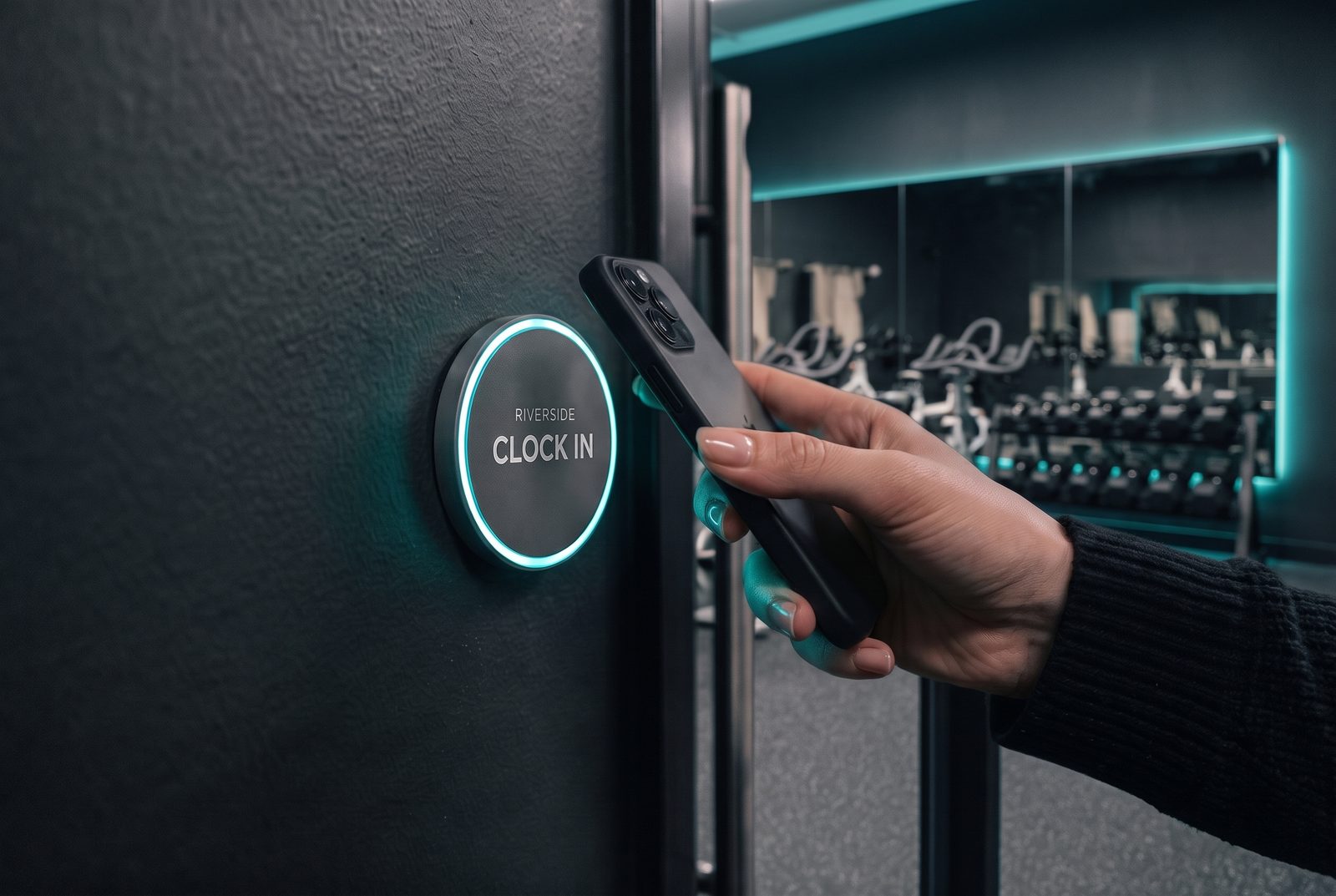
And a tag by the door, for everyone else
A branded tag goes up beside the entrance. Holding a phone to it starts the shift immediately — no app to open, no screen to find, nothing to type.
It is there for the people the roster doesn't cover:
- Someone picking up a shift at short notice
- A cover who isn't on today's published roster yet
- Anyone working an unscheduled or one-off shift
Why operators buy it
Four things stop happening.
No missed clockouts
A shift ends because someone has gone home, not because anyone remembered to record it. There is no list of open shifts waiting on Monday morning and nothing to chase up the next day.
Almost no change requests
Hours recorded as they happen rarely need correcting, so the queue of edits to raise, review and approve mostly disappears — along with the management time that queue consumes.
No line-by-line timesheet review
When the recorded day already matches the scheduled day, payroll becomes a glance rather than an investigation. Managers get those hours back on the floor.
No guessing after the fact
Everyone gets an accurate record without having to reconstruct one. That is better for the pay run, for budgeting, and for anyone asked about a shift months later.
The app
Nothing to learn, because there is nothing to do.
Your team installs it once and signs in once. After that the app only reports what the clock already did.
Signed in as Maria Santos
Riverside · 9:00 AM – 5:00 PM today. You'll be clocked in when you arrive.
Location
Always allowed · your workplaces
Before the shift. It already knows the roster.
Signed in as Maria Santos
Riverside · Shift Lead · since 8:58 AM
Started automatically — scheduled 9:00 AM shift
Location
Always allowed · your workplaces
On arrival. Clocked in without touching the phone.
Signed in as Maria Santos
Last clock-out 5:04 PM (left Riverside)
8h 06m sent to payroll
Location
Always allowed · your workplaces
After the shift. Closed and filed, no edit needed.
Notifications
Everyone knows exactly what the clock did.
A short notification confirms every clock-in and clock-out as it happens — and asks, just once, when someone is on site without a scheduled shift.
Clocked inA scheduled shift starts the moment they arrive.
Would you like to clock in?On site with no scheduled shift — one tap from the notification.
Clocked outLeaving ends the shift and confirms the time.
Integrations
Integrates directly with your payroll or scheduling provider.
The roster comes in and the hours go back out, into the system your team already approves in. No export step, no file to upload, no spreadsheet in the middle.
Reads the roster
Published shifts arrive from your scheduling system, which is what lets the clock run itself. Covers and swaps are picked up automatically.
Writes the hours
Each shift is filed into payroll as it finishes, under the right job or cost code, ready for your normal approval.
Checked before you commit
We verify the connection to your specific provider up front. If it cannot be done properly, you will hear that on the first call.
Rippling is a trademark of its respective owner. Clock Out integrates with Rippling but is not affiliated with, endorsed by, or an App Shop partner of Rippling. iOS and Android are trademarks of their respective owners.
Questions
The things operators ask first.
Does this track my staff?
No. The app recognises your own locations only — arriving at one and leaving it. It does not follow anyone's movements, record where they go, or know anything at all about them off the clock. It is a time clock, not a tracker.
What if someone steps out for coffee?
Nothing happens. Clock Out waits out a grace period you set before closing a shift, so short errands don't end anyone's day early.
What if the battery dies, or there's no signal?
The shift is closed on our side rather than on the phone, so a flat battery or a dead spot doesn't leave a shift hanging open.
What about someone who isn't rostered?
They tap the tag by the door, or answer a single prompt. Covers and extra hours are handled without anyone needing a scheduled shift first.
Can a shift still be corrected?
Yes. Hours land in your payroll system and follow your existing approval and edit process — there are simply far fewer of them to work through.
Who is it not for?
Desk-based teams, where a browser clock-in is cheaper and perfectly fine. It is also not a scheduling or labour-forecasting system — it works alongside the one you already have.
Start with one location.
Tell us your headcount, how many locations you run and which payroll or scheduling system you use. We'll confirm the connection and show you what Clock Out would have changed in your last pay run.