Dashboards
Every number that runs your studios. One page.
Sales, attendance, payroll, ads and the books, pulled together every morning. Your team sees their goals, leadership sees the quarter, and you see where the month will land.
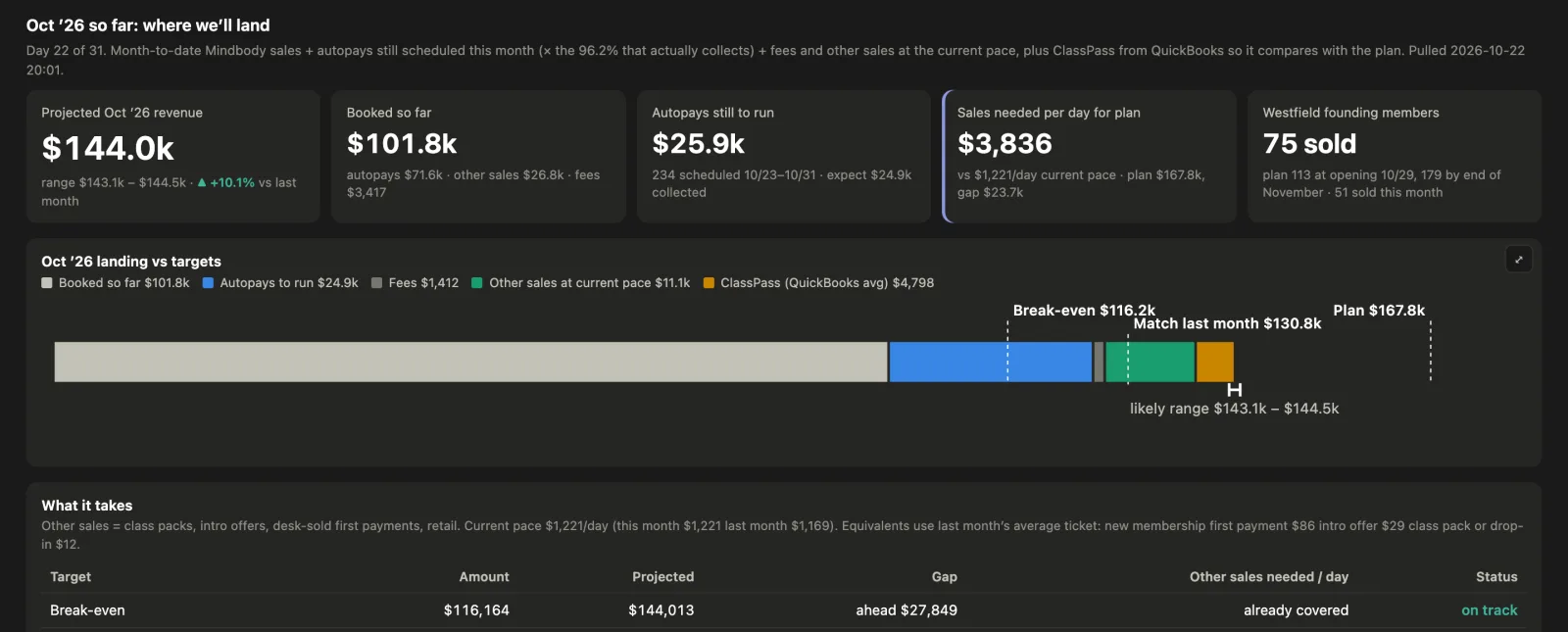
Every screen on this page shows demo data: fictional studios, names and figures.
Who sees what
Three pages. Three audiences.
Everyone signs in to the same place and gets the page for their role. The team never sees a dollar sign. Leadership sees the goals they're paid on. You see the books.
Team
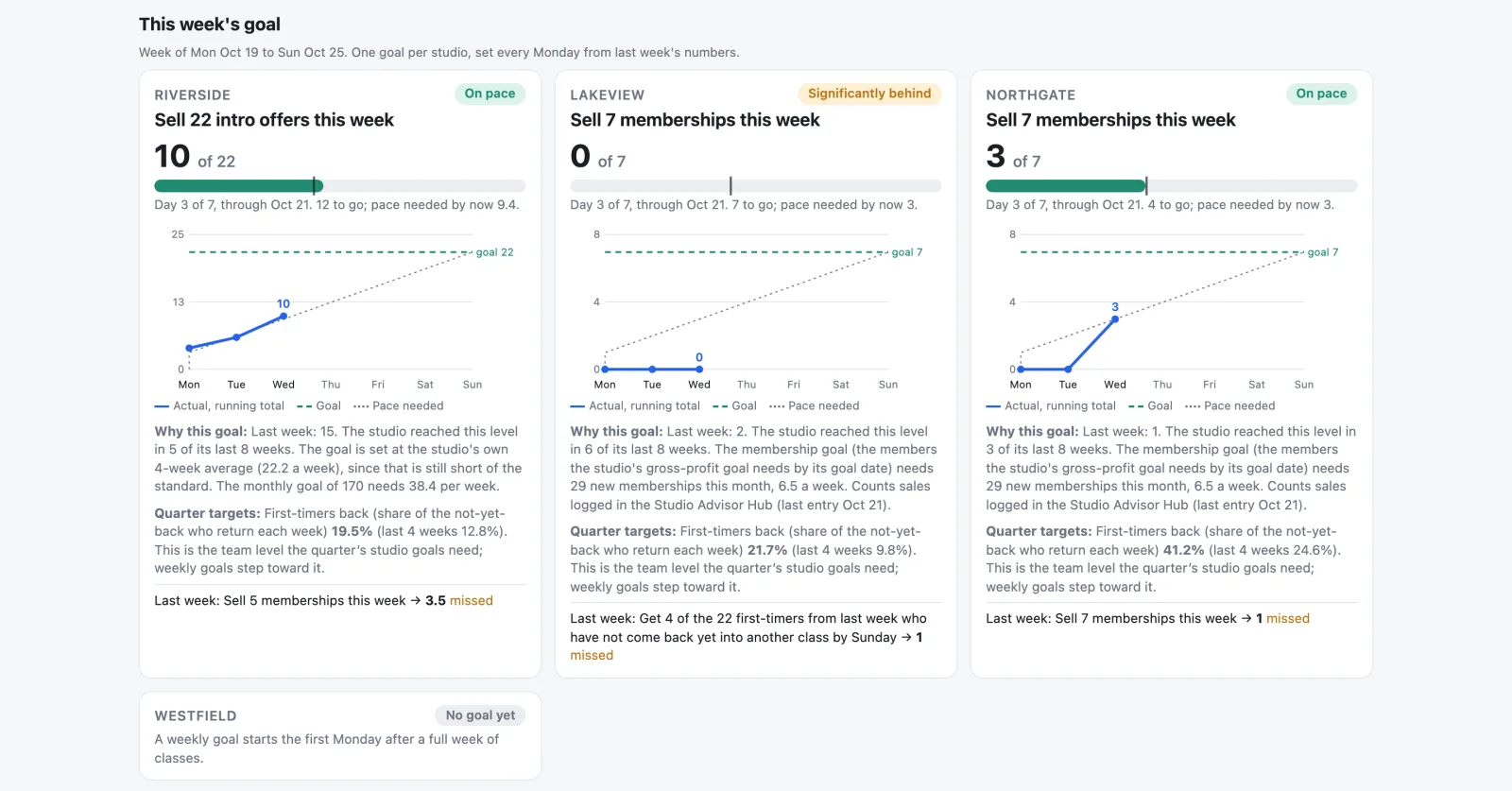
This week's goal per studio, the trend charts behind it, and leaderboards for studio advisors and instructors. Counts and percentages only.
Leadership
Quarter goals with a projection against each one, the conversion funnel behind them, and the bonus math worked out in the open.
Owners
Where the month lands against plan, unit economics, retention, cost control, the funnel and the ad accounts. The books, not the feeling.
Team page
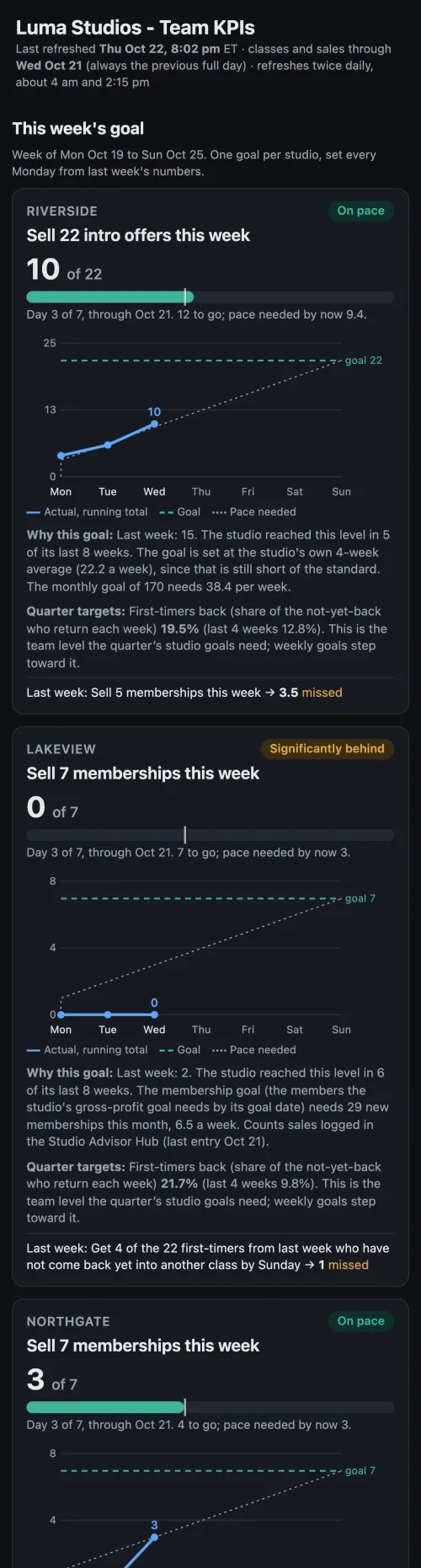
Goals the team can see, set every Monday.
One goal per studio for the week, set from last week's numbers, with a progress bar and the pace needed by today. Leaderboards update twice a day.
- Memberships, intro offers, intro-to-member conversion per advisor
- Average per class, fill and first-timers back within 14 days per instructor
- Studio trends by week or month: classes, attendees, net member change
Leadership page
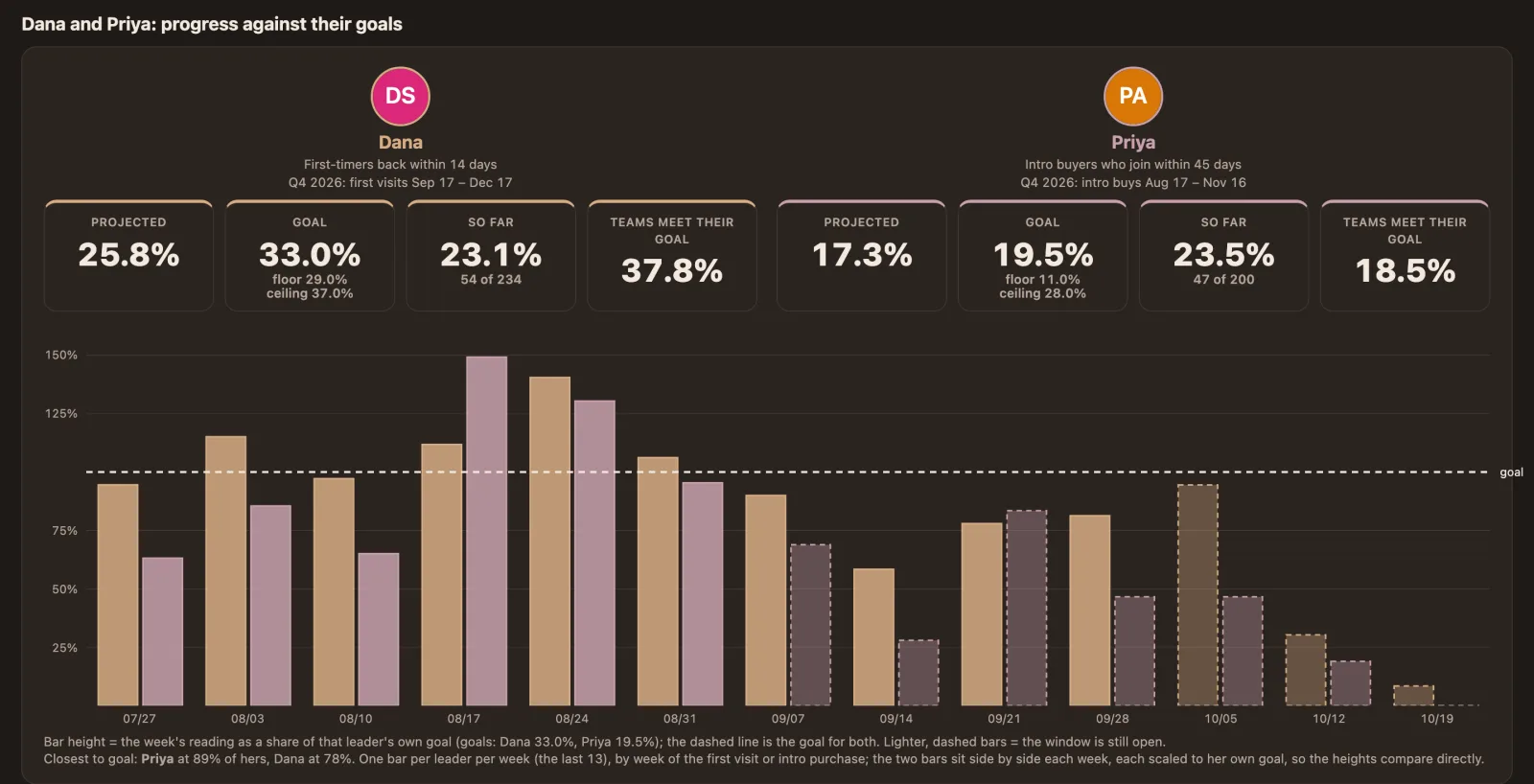
Quarter goals with a projection, not a hope.
Each leader's goal, the bonus floor and ceiling, what's been reached so far and where the quarter is projected to land at the current pace. Week by week, side by side.
- First visit to intro conversion, intro buyers who join, first-timers who come back
- Per-instructor and per-advisor tables with the open window shown separately
- The same numbers the exec page uses for the bonus
Executive page
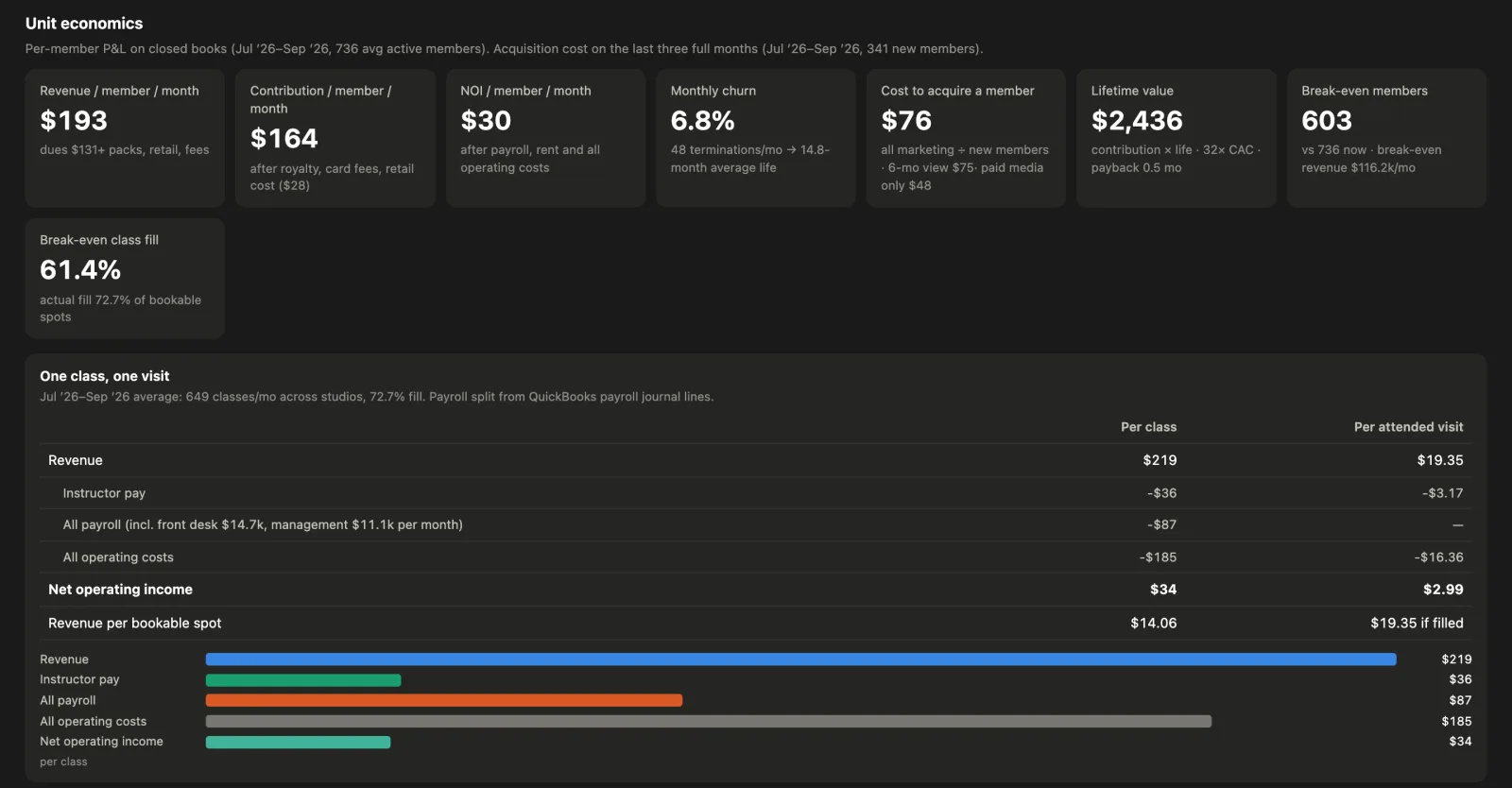
Unit economics you can act on.
A per-member P&L on closed books: revenue, contribution and operating income per member a month, churn, cost to acquire a member, lifetime value and the break-even member count. Then one class and one visit, in dollars.
- QuickBooks revenue and expenses tied to Mindbody members and visits
- Per-studio four-wall margins, payroll and rent as a share of revenue
- Lifetime value against acquisition cost, month by month
Executive page
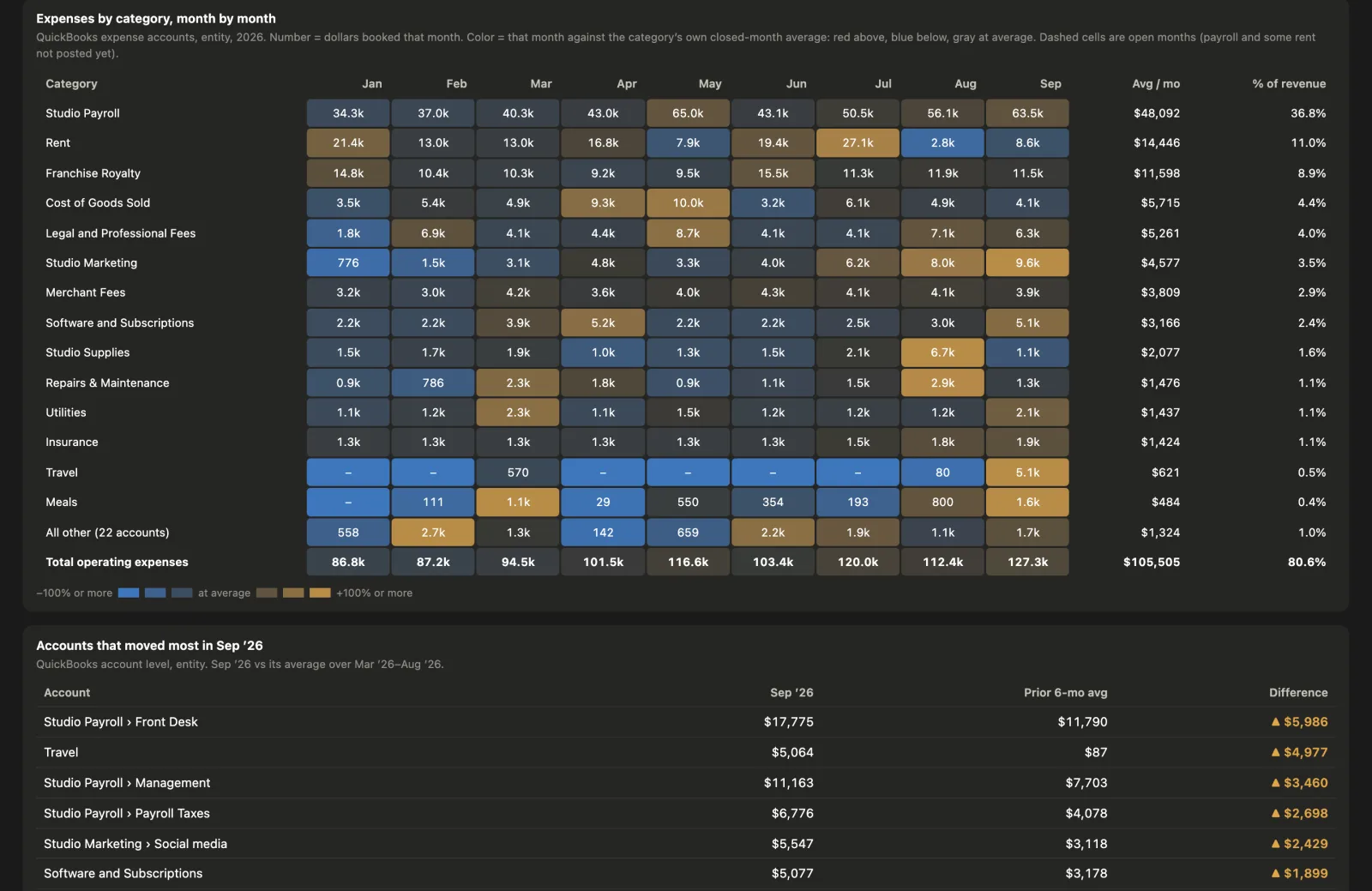
Cost control, line by line.
Every cost line as a share of revenue against the prior quarter, with a trend. Then each QuickBooks category month by month, coloured against its own average, so the outlier is the first thing you see.
- Payroll, rent, royalty, merchant fees, marketing, software, the rest
- Accounts that moved most this month, with the difference
- Open months marked, so you don't read an unposted payroll as savings
Executive page
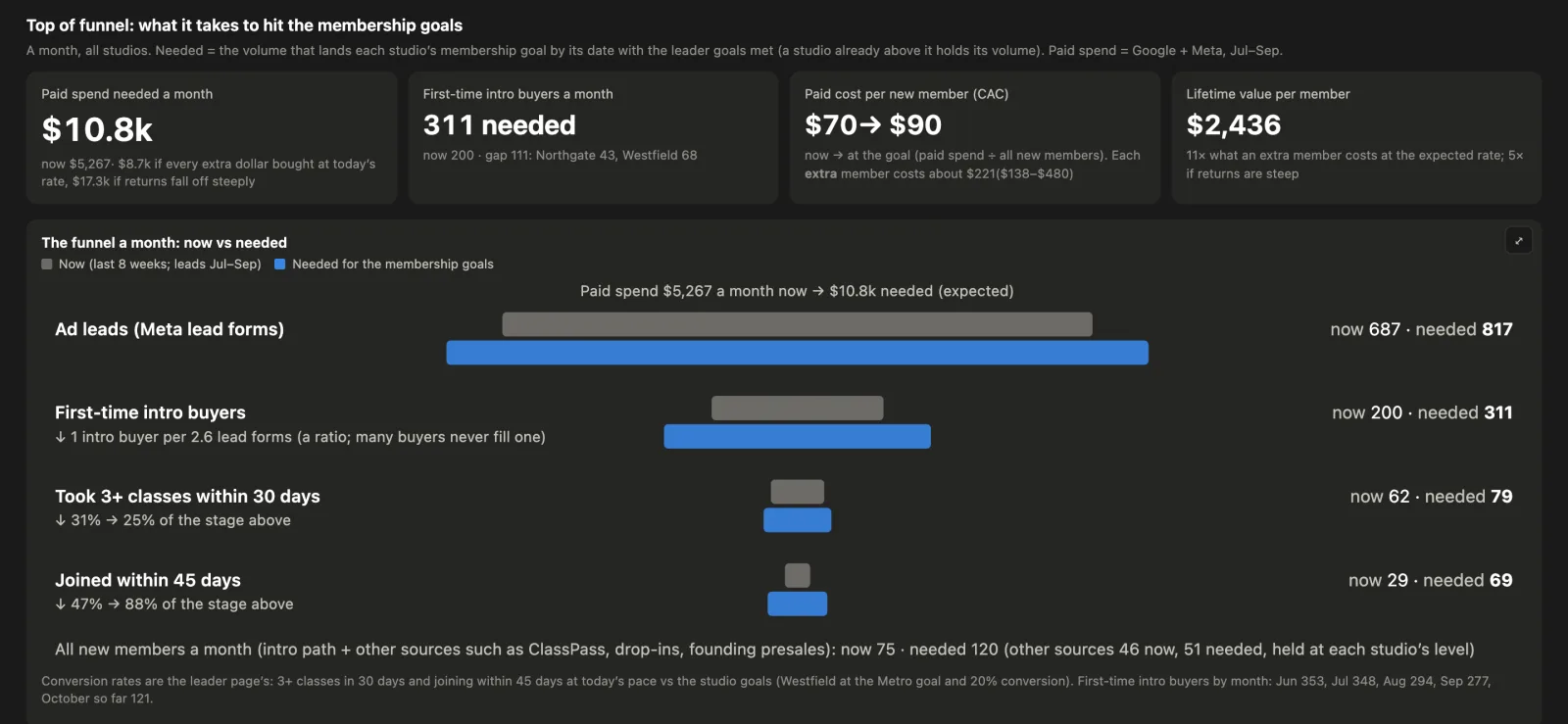
Top of funnel, and what the ads are doing.
What it takes to hit the membership goals, stage by stage: first-timers, intro buyers, members. Then Google and Meta spend, cost per lead and conversions, by studio and over time.
- Leads per buyer, buyers per month, the spend curve for the gap
- Paid ads by location over time, against new members
- The account changes log, so a jump in cost has a reason next to it
Also on the pages
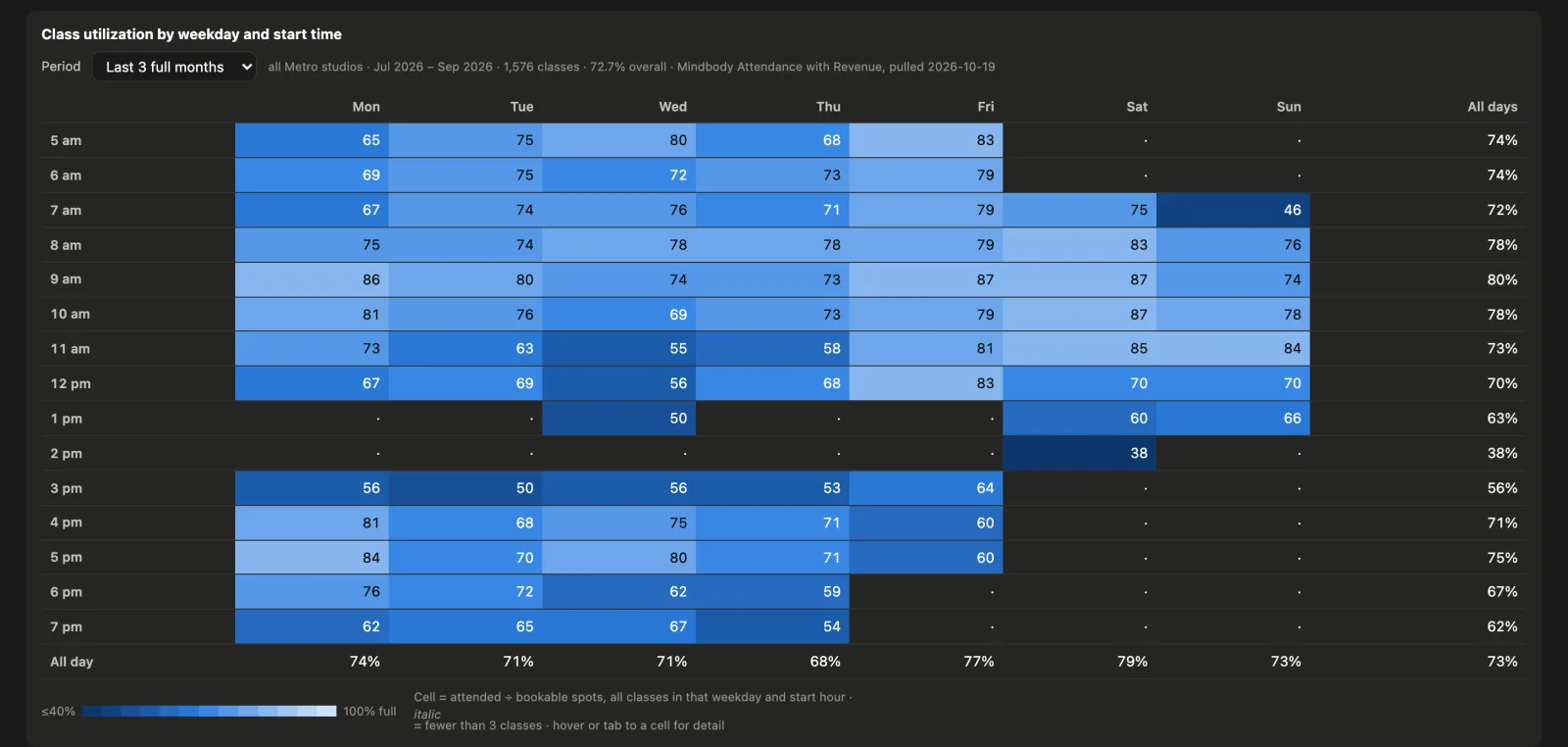
The rest of the picture.
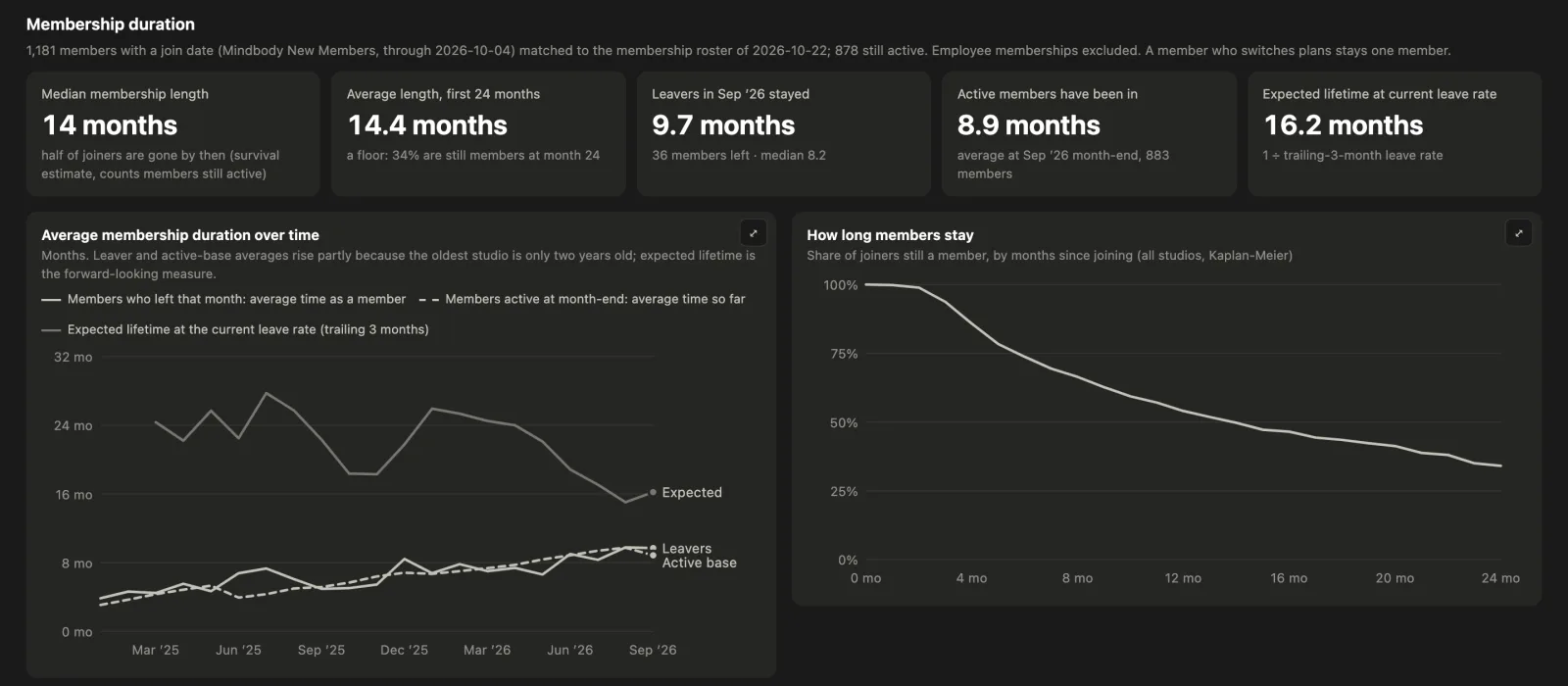
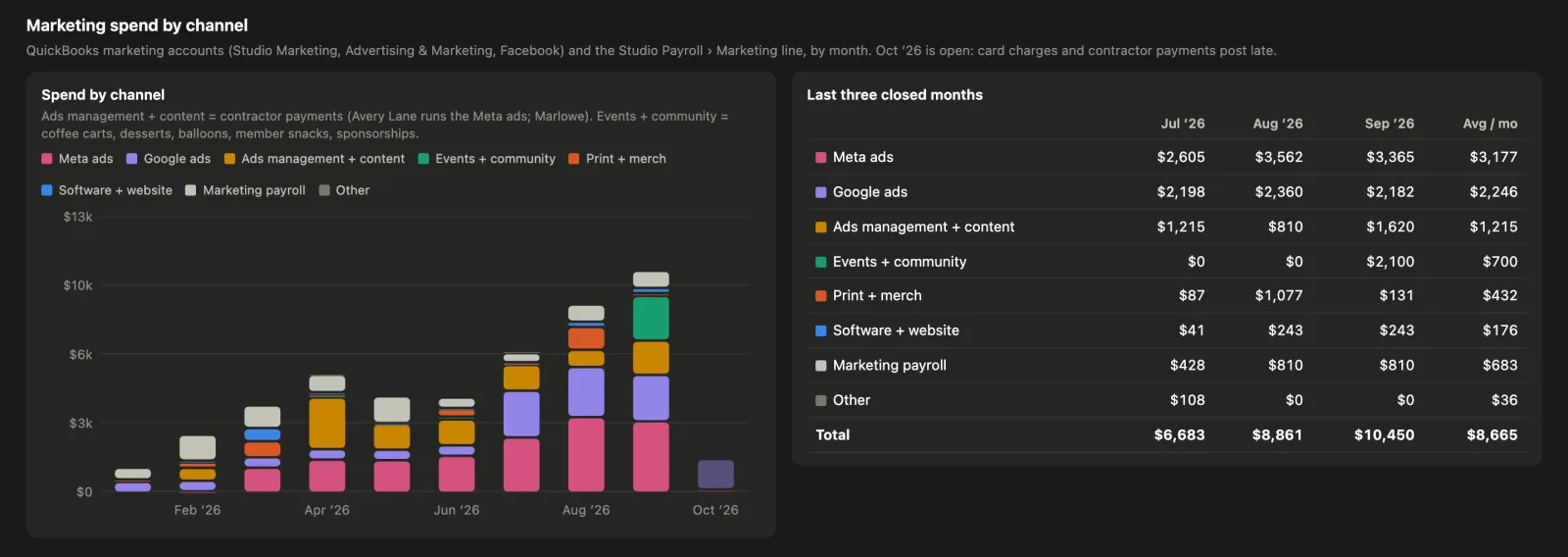
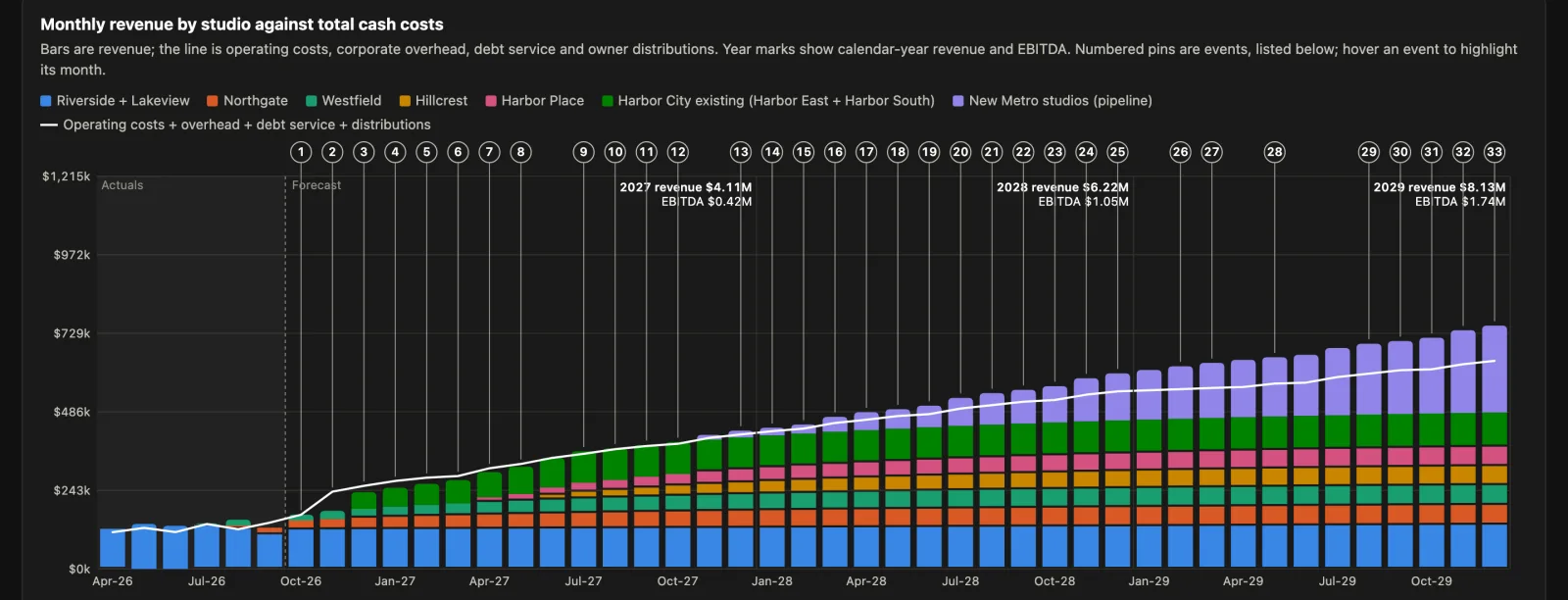
Connects to
Your systems, read-only.
We pull from what you already use. Nothing is written back, and nothing moves out of your accounts.
Mindbody, QuickBooks, Google, Meta and Rippling are trademarks of their respective owners. Dashboards reads from these systems but is not affiliated with, endorsed by, or a partner of any of them.
How it works
Set up once. Fresh every morning.
We connect your systems
Mindbody, your books and your ad accounts, with read-only access. We agree the definitions with you: what counts as a member, a first visit, a closed month.
The numbers refresh before the studios open
Every morning, and again in the afternoon for the team page. A check runs before each publish, and you hear about it only if something didn't reconcile.
Everyone signs in and sees their page
One sign-in for the whole team, with an emailed code. The roster comes from your payroll system, so a new hire can open the team page on their first day and someone who leaves can't.
Every number explains itself
Definitions and limits are written on the page, next to the chart. When a figure is a floor or an upper bound, it says so.
Private by design
Who sees what is a rule, not a habit.
No dollars on the team page
A check runs before every publish and refuses a team or leadership page with a dollar figure or a money word on it.
No member names on any page
Follow-up lists with member names go to a private spreadsheet you control, never onto a dashboard.
Roles decide the page
Sign-in is gated by role: team, leadership, owners. Remove someone from payroll and their access ends with it.
Want to see it on your numbers?
Tell us how many locations you have and what you use for scheduling, books and ads. We'll set up a demo.